






If you’ve ever wandered the TV aisle at a big box store, you’ve definitely heard salespeople throw around “UHD” and “4K” like they’re the same thing. Most of the time, they’re not. As a TV supplier, I can’t tell you how many customers come into our warehouse (or hit up our support line) asking which label matters for their next living room upgrade. Let’s break this down without the jargon, plus I’ll throw in a little note about how we design our TV hardware to keep those crisp pixels running smoothly—think surge protection for your display.
First, let’s start with the basics: resolution. That’s the number of tiny pixels that make up the image on your screen, right? More pixels mean sharper, more detailed scenes, whether you’re watching a nature documentary or playing a console game. Back in the day, HD was 1080p—so 1,920 pixels wide by 1,080 tall. 4K jumped that way up, but wait—here’s the messy part: the “4K” label got hijacked by different industries, and UHD became the official consumer standard.
Let’s get specific. True 4K, the stuff used in Hollywood cinemas and some professional production, is 4,096 pixels wide by 2,160 tall. That’s a different aspect ratio, too—cinema-style, not the 16:9 you have on your living room TV. So when a movie studio talks about a 4K master, that’s the wide, theatrical version. UHD, on the other hand, is Ultra High Definition, designed for home use. It’s 3,840 pixels wide by 2,160 tall. Close in number, but not exactly the same. For most people sitting 6 to 10 feet from their couch, the difference between true 4K and UHD is basically invisible. That’s why the consumer market adopted “4K” as a marketing term for UHD TVs—they sound cooler than “Ultra High Definition” when you’re yelling over a loud store speaker.
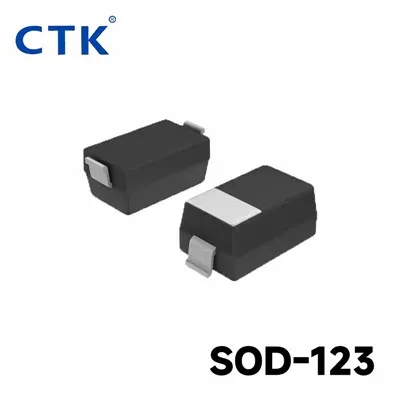
Now, why does this matter for you as a buyer? Most content you’ll stream or own is UHD. Netflix, Disney+, Blu-ray 4K discs—all of that is UHD, not true 4K. So when a TV says “4K UHD,” that’s just the industry way of saying it supports the home resolution you actually use. But here’s the thing manufacturers don’t always shout: not all “4K” TVs are equal when it comes to displaying that resolution. Some have better pixel density, color accuracy, or brightness than others, which is where our team at the supply company comes in. We work with hardware that protects the display from power surges, which can mess up those tiny pixels and cause permanent damage. That’s why we specify parts like SMAJ TVS Diode, SMCJ TVS Diode, SMBJ TVS Diode, and SOD123FL TVS Diode for our units—they’re designed to absorb sudden voltage spikes that happen when you turn your TV on/off or during a power flicker. Skip that protection, and even a great UHD screen can get dead pixels after a few years.
Wait, let’s clear up another confusion: some people think “8K” is just a bigger number, but that’s a whole other ballgame. Right now, there’s not enough UHD (wait, no—8K) content to justify the price tag, so we’re still focused on UHD/true 4K TVs for most customers. Back to the original question: let’s recap the key differences that actually impact your viewing experience. True 4K is cinema resolution (4,096x2,160), UHD is home resolution (3,840x2,160). True 4K isn’t made for most living rooms, so when you see “4K” on a TV box, it’s almost always UHD. The only time you’d need true 4K is if you’re a filmmaker editing your own projects, or you’re going to a fancy cinema.
But here’s the catch with marketing: some brands will label a TV “4K” just because it has 3,840 pixels, even if it has a lot of other flaws. Like, a cheap 4K TV might have bad contrast, so dark scenes look gray, or washed-out colors. UHD resolution only matters if the TV can actually show it well. Our team tests every unit to make sure the color gamut matches what UHD content creators intended, and the refresh rate is smooth enough for sports and games. We also make sure the power circuitry is reliable—those TVS diodes I mentioned earlier? They’re a small part, but they keep the display from dying prematurely. Imagine paying for a sharp UHD screen, then losing half your pixels because of a random surge. That’s why we don’t cut corners on parts like the SMAJ TVS Diode line, even though they don’t make it onto the product box.
Another thing people mix up: resolution vs. upscaling. A lot of non-4K TVs have “upscaling” that makes old HD content look better, but it can’t turn 1080p pixels into 4K. A real UHD/4K TV has 3,840 actual pixels, so it’s showing more detail natively. Upscaling just stretches the image to fit the screen, which can make it look fuzzy if it’s not done well. We use advanced upscaling tech in our mid-tier and premium TVs that actually analyzes the original content and adds detail where it’s missing, so even your old DVDs look way better than they would on a basic 4K set. That’s the kind of difference you’ll notice in the background of a movie—like the texture of a tree bark or the text on a sign.
Wait, let’s talk about common myths. I hear all the time: “4K is only good for big screens.” That’s not true. If you sit close enough, a 55-inch UHD TV will look sharp. The sweet spot is when your viewing distance is about 1.5 times the screen size. So for a 55-inch TV, that’s around 6.5 feet back—you’ll be able to see the individual pixels if it’s not UHD, but with UHD, they’ll be invisible. For a 65-inch TV, that’s about 8 feet, and for a 75-inch, around 9 feet. So if your living room is smaller, you don’t need to buy a bigger TV than that—just make sure it’s UHD. The old rule that bigger is always better went out the window when UHD became standard.
Now, as a TV supplier, I can tell you what to look for when you’re shopping. First, ignore the “cinema 4K” or “true 4K” labels unless you’re a professional. For 99% of consumers, “4K UHD” is exactly what you want. Second, check the specs: make sure it has HDR (High Dynamic Range), which makes bright parts brighter and dark parts darker—way more impactful than just resolution. A 4K TV without HDR is like a high-res photo that’s been washed out. Third, think about what you’re using the TV for. If you’re a gamer, look for a 4K TV with a 120Hz refresh rate—smooth for fast action. If you mostly watch Netflix and football, a 60Hz set with good color accuracy will work great.
And don’t forget about longevity. We get customers all the time who come to us saying their new TV broke after a year, and it turns out they didn’t have surge protection, or the power circuitry was cheap. That’s why we invest in those TVS diodes—they’re a small cost upfront that saves you from replacing your TV too soon. Whether it’s the SMAJ TVS Diode for compact models or SMCJ TVS Diode for larger screens, every part works together to keep your TV running for years. We don’t want to sell you a TV that dies in a couple of years—we want to be your go-to supplier for reliable, high-quality sets, so you’ll come back when you need an upgrade.


Let me wrap this up to make sure there’s no confusion. UHD is the home-resolution standard (3,840x2,160), true 4K is the cinema standard (4,096x2,160). The marketing term “4K” for TVs almost always refers to UHD, because that’s what consumers actually use. The only time the difference matters is if you’re working in film or going to a cinema. For the rest of us, a good UHD TV with HDR and solid hardware (like the sets we supply) will give you the sharp, vibrant picture you want.
If you’re in the market for a new TV, whether it’s a 55-inch for your bedroom or a 75-inch for your main living room, we’ve got options to fit every space and budget. We care about making sure you get a TV that works for you, not just a label that sounds fancy. If you have questions about which set is right, or want to discuss bulk orders for a business, reach out to our team anytime. We’re here to help you pick the perfect UHD/4K TV that’ll look great for years. You don’t have to stress about the jargon—we’ll break it down for you, just like I did here.
References:
- Consumer Electronics Association (CEA) Standards for Display Resolution
- Society of Motion Picture and Television Engineers (SMPTE) 4K Cinema Resolution Specifications
- Underwriters Laboratories (UL) TV Surge Protection Guidelines
- Display Technology Association (DTA) UHD Content Distribution Reports